This isn’t your typical Christmas gift guide. This is a gift guide for my craft business owners and my extra crafty friends. I am sharing the xTool O1 Omni UV printer machine. The UV printer that has completely changed how I make things this year.
There were always so many ideas I had, but couldn’t bring them to life without sacrificing quality. For instance when I had ideas and tried to sublimate them on blanks, it was always a hot mess. When I got the xTOOL O1 Omni I realized what was missing. Now I am able to print graphics and prints onto so many different surfaces creating products I am truly proud to make and sell. The UV printer is giving commercial quality at home. Prints I was once trying to achieve are now printing flawlessly without any heat presses, papers or risk of error.
If you want a post dedicated to all of the machine specifications and capabilities keep an eye out because it is coming very soon. For now I am sharing the machine I recommend for making the most amount of products, the blanks and the accessories.

This Machine is For Creatives
If I had to define the type of person who NEEDS to purchase this printer I would describe them as either a professional creative who runs a business printing or embellishing blank products, a shop or boutique owner that wants to turn up the quality of their product offerings, a small shop or boutique owner trying to cut costs by producing some of their own products, or an artist that wants to turn their artwork into tangible products.
I personally fall into a category where I make and sell to boutique and shop owners but also do pop-up markets from time to time where I am creating items to sell directly to consumers. Recently I have been purchasing more graphics and designs to print onto products but there was a day when I was the designer of the art looking for ways to turn it into a tangible item to sell.
Three O1 Omni UV Printer Options
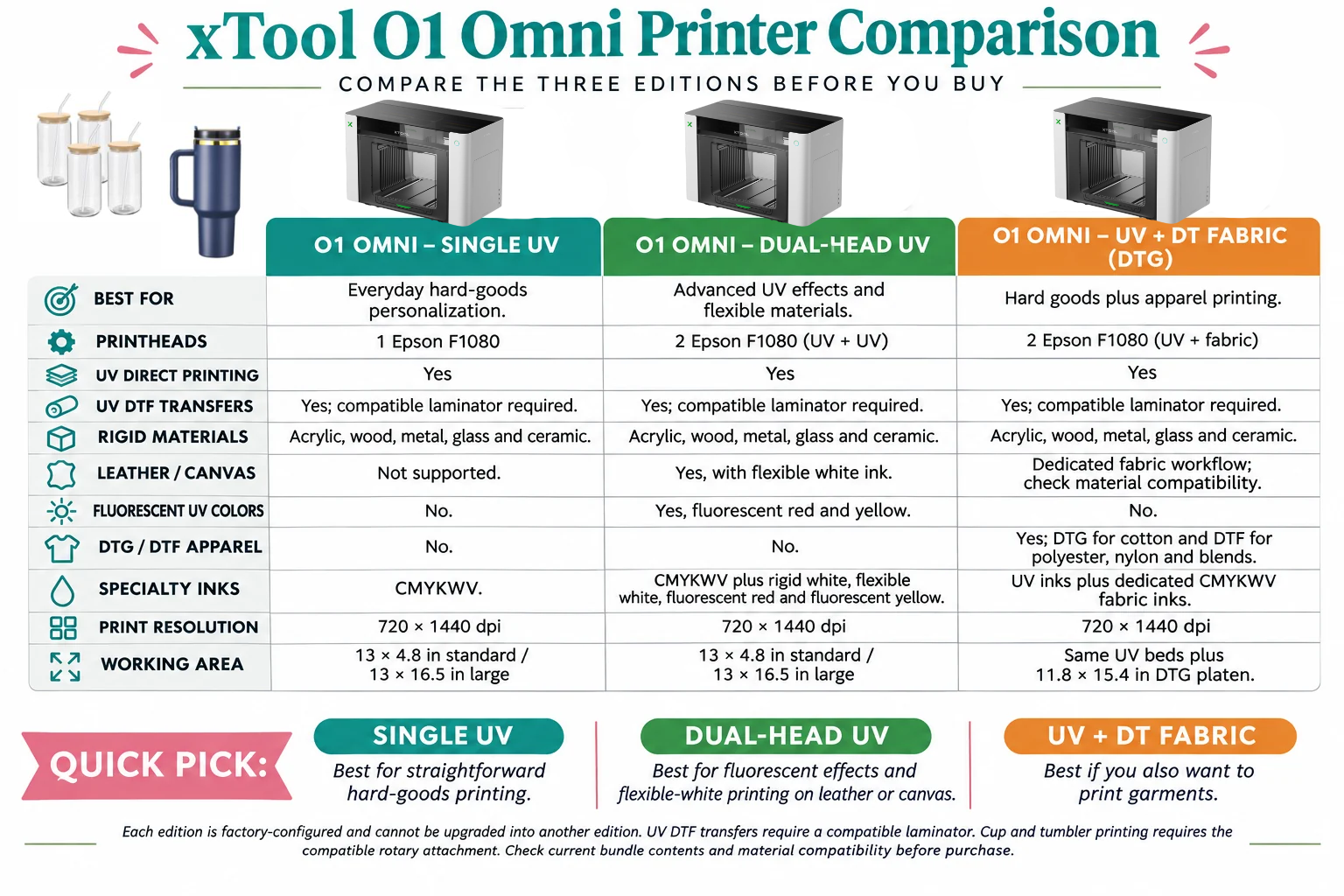
Don’t be mislead by the All-in-One statement. Originally I thought there was a single printer that printed on everything from hard surfaces to fabric. There are actually three different machines that have different surface printing capabilities.
There are three versions of the UV printer; single head, dual head and DTG printers. The single head printer only prints on rigid surfaces such as plastic, wood, acrylic. I have the dual head UV printer which means it can print on rigid and bendable surfaces such as leather, sticker films and canvas. Then the third machine is the UV DTG printer which prints on garments (DTG means direct to garment).
The Gift Guide: Printer, Attachments and Blanks
The printers come alone or in bundles. I got the xTool O1 Omni UV Printer dual-head UV with the rotary attachment to do drink ware. Then I got the laminator separately so I can do the UV direct to film transfer stickers. The UV DTF stickers work great for selling the stickers or applying UV designs to unusual shaped objects like helmets.
- xTool O1 Omni Uv Printer – (I have the dual head printer)
- xTool O1 Omni Rotary Attachment – use it for ornaments or drink ware
- xTool Laminator – use for laminating rolls of UV DTF, foiling, creating UV DTF sticker packs
- xTool O1 Omni Continuous Roll Feeder – use along with the laminator to do continuous rolls of UF DTF stickers or large jobs
- Blank Ceramic Mugs
- Blank Ornaments
- Blank Ceramic Magnets
- Blank keychains
- 40oz Stainless Steel Tumblers
- A-Film Sheet for UVDTF stickers
- Clear Acrylic Ornament Blanks
- Brass Challenge Coin Blanks
- Metal Business Card Blanks
- Blank Clipboards
- Air Freshener Blanks
Using the xTool O1 Omni UV Printer
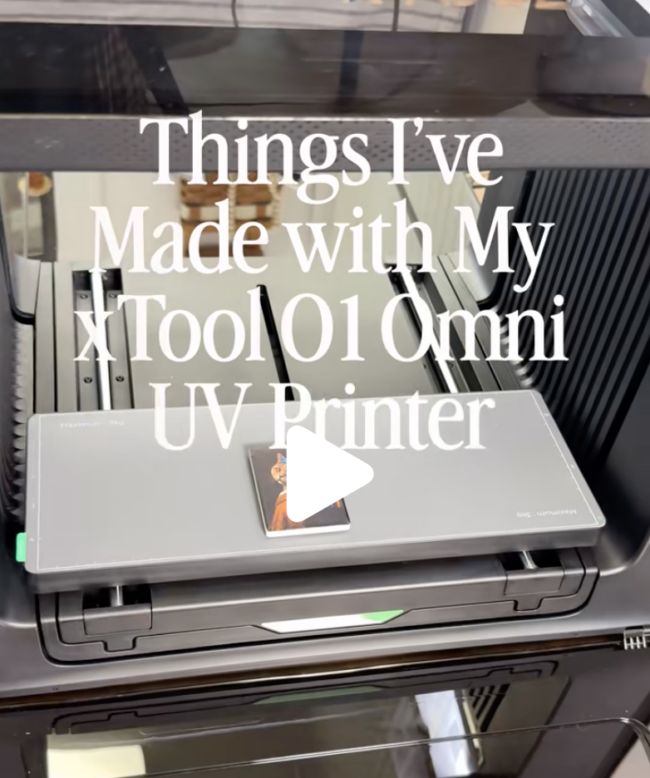
I’ve created multiple videos on TikTok using, unboxing and answering questions about the xTool O1 Omni UV Printer. Click the photo below to see the xTool O1 Omni playlist I created.
Comment below with your questions! More to come soon.
XOXO, Kelsey